
POC Continuation [AlgoPrime]
POC · Continuation · Volume Profile
Built by AlgoPrime
What it does
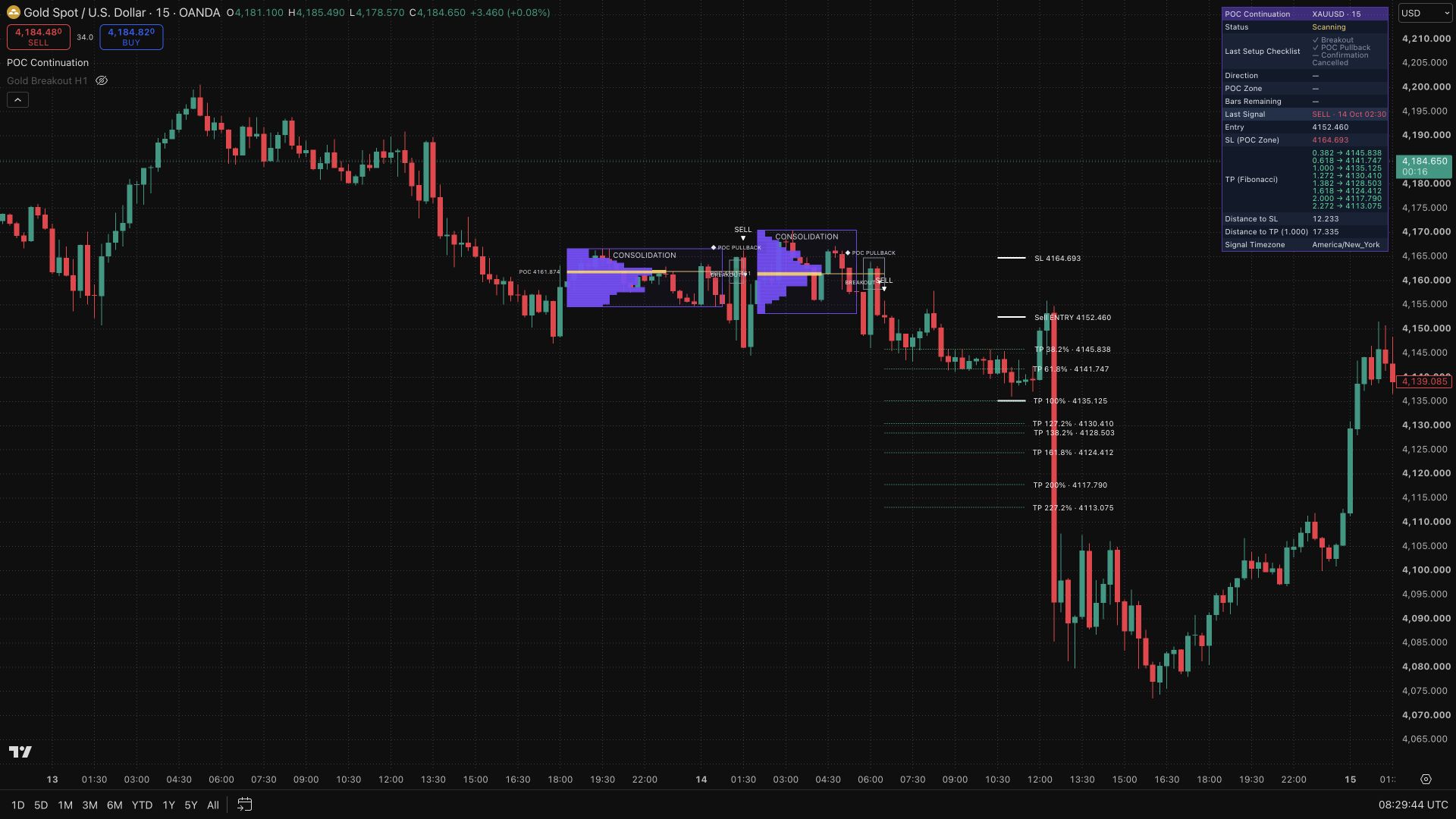
POC Continuation connects a breakout with the volume concentration inside its preceding consolidation. The indicator draws the range, estimated volume profile, and POC zone, then follows a pullback and confirmation in the original breakout direction. A checklist dashboard and event labels show how far the setup has progressed, helping you distinguish a developing pullback from a confirmed continuation.
How to Trade with POC Continuation?
Consolidation and POC: identify the range that formed the setup and its volume reference before following the breakout.
Breakout and pullback: note the breakout direction, then watch price return to the POC zone. The return itself is not the final confirmation.
BUY/SELL confirmation: assess the confirmed signal alongside the selected stop reference and Reward/Risk or Fibonacci target.
Remaining bars: check the dashboard’s timing information so an expired setup is not treated as a current opportunity.
POC Continuation Settings
Duration: consolidation length multiplied by a factor, or separate pullback/confirmation windows.
Stop: POC zone or consolidation boundary.
Target: Reward/Risk or Fibonacci; a 100% projection equals the consolidation height.
History: show or hide expired and historical setups.
Frequently Asked Questions
Do Entry/SL/TP display settings filter entries?
No. These settings provide planning references; they do not filter entry signals or place orders.
Does POC always identify the exact highest-volume exchange price?
The profile is estimated from chart-bar data, so its POC depends on the available data and calculation method.
Can alerts be sent to Discord?
Dynamic messages support that workflow, but you must create a TradingView alert and configure its webhook separately.
How do I access POC Continuation?
Visit the AlgoPrime Pricing page to choose a plan and get access to POC Continuation.
Request TradingView Access
How you get it
- Be on Pro
Choose a plan that includes this tool, or use access from a package you already own.
- Claim it on Pro
Any plan that includes Pro lets you claim it from the Tools Kit at no extra charge.
- Add your TradingView username
Access is granted to your username and the indicator shows up in TradingView under Invite-only scripts.
More like this
All tools
Questions about POC Continuation [AlgoPrime]?
The desk answers in chat — setup, access, or which plan fits.